
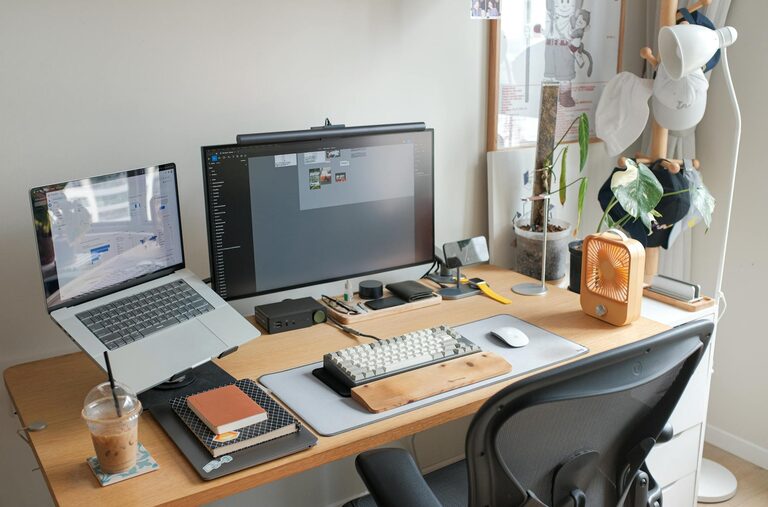
Creating a productive home office space is essential for anyone working from home, whether full-time or occasionally. A well-designed environment not only boosts your efficiency but also helps maintain a healthy work-life balance. Here are some practical tips to set up a home office that encourages focus, comfort, and motivation.
Choose Your Space Wisely
Consider Natural Light
Position your desk near a window if possible. Natural light can improve mood, reduce eye strain, and keep you alert throughout the day. Avoid glare on your screen by angling your desk or using blinds.
Minimise Distractions
Select a quiet area away from high-traffic zones in your house. If space is limited, use room dividers or screens to create a barrier. Inform your household of your work hours to minimise interruptions.
Invest in Ergonomic Furniture
Comfortable Chair
A good office chair supports your back and encourages good posture. Look for adjustable height, lumbar support, and breathable material to stay comfortable during long hours.
Desk at the Right Height
Your desk should allow your forearms to rest parallel to the floor when typing. If possible, use a sit-stand desk to alternate between sitting and standing, which can improve circulation and reduce fatigue.
Organise Your Workspace
Declutter Regularly
Keep only essential items on your desk to avoid distractions. Use drawers, shelves, or organisers to store stationery, documents, and gadgets.
Use Cable Management
Loose cables can create a messy appearance and even be a tripping hazard. Cable ties, clips, or under-desk trays can help keep cords tidy and organised.
Personalise Your Environment
Add Greenery
Houseplants improve air quality and add a calming touch to your office. Choose low-maintenance plants like succulents or snake plants if you’re new to gardening.
Decorate Tastefully
Incorporate artwork, photos, or inspirational quotes that motivate you. Avoid overdecorating to maintain a clean and professional look.
Optimise Technology Setup
Reliable Internet Connection
Ensure your internet speed meets your work requirements to avoid disruptions during video calls or data transfers.
Quality Equipment
Use a good-quality keyboard, mouse, and monitor to reduce strain and increase efficiency. Consider noise-cancelling headphones if you work in a noisy environment.
Manage Lighting Effectively
Combine Different Light Sources
Use a mix of natural, ambient, and task lighting. A desk lamp with adjustable brightness helps reduce eye strain, especially when working in the evening.
Avoid Flickering or Harsh Lights
Opt for LED bulbs that provide consistent, soft light. Avoid fluorescent lights, which can cause headaches or fatigue.
Establish a Routine
Set Working Hours
Having clear start and finish times helps separate work from home life. Use alarms or calendar reminders if needed.
Take Regular Breaks
Short breaks every hour improve concentration and reduce the risk of burnout. Use this time to stretch, hydrate, or take a short walk.
Keep Healthy Habits in Mind
Stay Hydrated and Eat Well
Keep a water bottle nearby and have healthy snacks at hand. Avoid heavy meals that might make you feel lethargic.
Incorporate Movement
If you cannot have a sit-stand desk, try simple stretches or standing exercises during breaks to keep your body active.
Final Thoughts
Creating a productive home office space is about balancing comfort, organisation, and functionality. By following these tips, you can tailor your workspace to your needs and create an environment that supports your best work. Remember that your office should evolve as your work habits and lifestyle change, so feel free to adjust it over time to maximise productivity and well-being.