
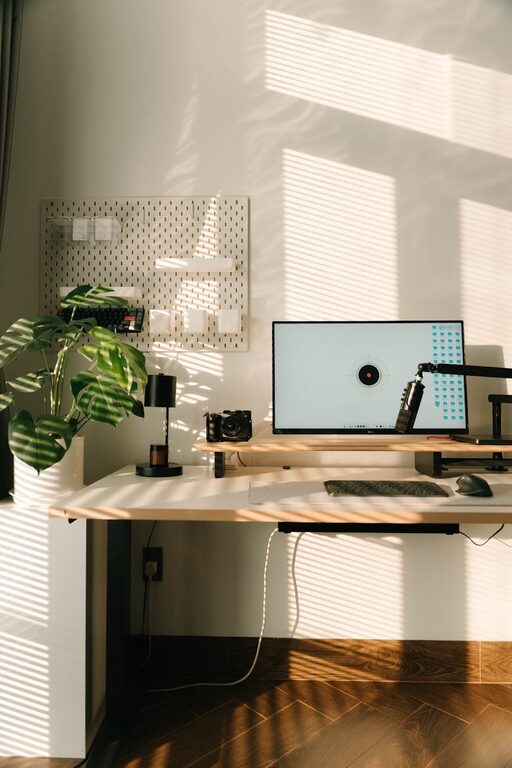
Creating a productive home office environment is essential for anyone working remotely or running a business from home. The right setup can help you stay focused, manage your time better, and maintain a healthy work-life balance. This guide offers practical tips on how to make your home office a place where productivity comes naturally.
Choose the Right Location
Selecting the ideal spot for your home office is the first step towards creating a productive workspace.
– Quiet and Private: Look for a space with minimal distractions, away from noisy areas like kitchens or living rooms.
– Natural Light: Position your desk near a window if possible. Natural daylight can improve mood and energy levels.
– Sufficient Space: Ensure there’s enough room for your desk, chair, and any equipment you need without feeling cramped.
Invest in Comfortable Furniture
Comfort is key to maintaining focus during long working hours.
– Ergonomic Chair: Choose a chair that supports your back and encourages good posture.
– Adjustable Desk: Consider a desk with adjustable height, allowing you to alternate between sitting and standing.
– Organised Surface: Keep your desk clutter-free by using organisers and trays.
Optimise Lighting
Proper lighting reduces eye strain and helps maintain alertness.
– Layered Lighting: Combine natural light with overhead lighting and a desk lamp to reduce shadows.
– Avoid Glare: Position screens to avoid reflections and glare from windows or lights.
– Use Soft Light: Opt for warm white or daylight bulbs to prevent harsh lighting.
Manage Noise and Distractions
Minimising noise can significantly enhance concentration.
– Noise-Cancelling Headphones: Useful if you cannot control external sounds.
– White Noise or Soft Music: Playing gentle background sounds can mask distractions.
– Set Boundaries: Clearly communicate your working hours to family or housemates to reduce interruptions.
Keep Technology Efficient and Organised
Having reliable technology and keeping cables tidy is essential.
– High-Speed Internet: Ensure your connection is fast and stable.
– Essential Equipment: Select the necessary hardware like a good quality monitor, keyboard, mouse, and printer if needed.
– Cable Management: Use clips, sleeves, or boxes to keep wires organised and out of the way.
Personalise Your Space
Adding personal touches makes your office inviting and motivates you.
– Inspirational Items: Frame favourite quotes or photos that inspire you.
– Plants: Indoor plants can improve air quality and add a calming element.
– Favourite Colours: Use colours that energise or relax you, such as blues for calmness or yellows for creativity.
Establish a Routine
Creating a daily routine helps maintain productivity and work-life balance.
– Set Working Hours: Define clear start and finish times.
– Take Breaks: Use techniques like the Pomodoro method to work in focused intervals followed by short breaks.
– Plan Tasks: Use to-do lists or planners to prioritise and organise daily responsibilities.
Maintain Organisation
A tidy workspace boosts efficiency and reduces stress.
– Declutter Regularly: Remove unnecessary items and file documents promptly.
– Storage Solutions: Use shelves, drawers, and filing cabinets to keep everything in place.
– Digital Organisation: Keep your computer desktop and files organised to work more smoothly.
Prioritise Health and Wellbeing
Your office should support physical and mental wellness.
– Movement: Incorporate stretches or short walks into your day.
– Hydration and Nutrition: Keep water and healthy snacks nearby.
– Air Quality: Ensure good ventilation or consider an air purifier.
Final Thoughts
Designing a productive home office environment requires attention to detail and regular adjustments to fit your needs. By choosing the right location, investing in comfort, managing distractions, and maintaining organisation, you can create a workspace that supports your professional success and personal wellbeing. Remember, a well-designed home office doesn’t just improve productivity; it also helps nurture a balanced and enjoyable work-from-home experience.